Personify · Sunday 30 August
Claim your Claude credits


Every participant gets $30 in free Claude API credits for the build day: $5 the moment you create your account, and another $25 shortly after you apply — in our test it landed within about 30 minutes. Four steps, a few minutes. Do this first — before you start building.
Open the claim link and sign in
Use the claim button above. Sign in with your Claude account, or create one — it takes a minute.
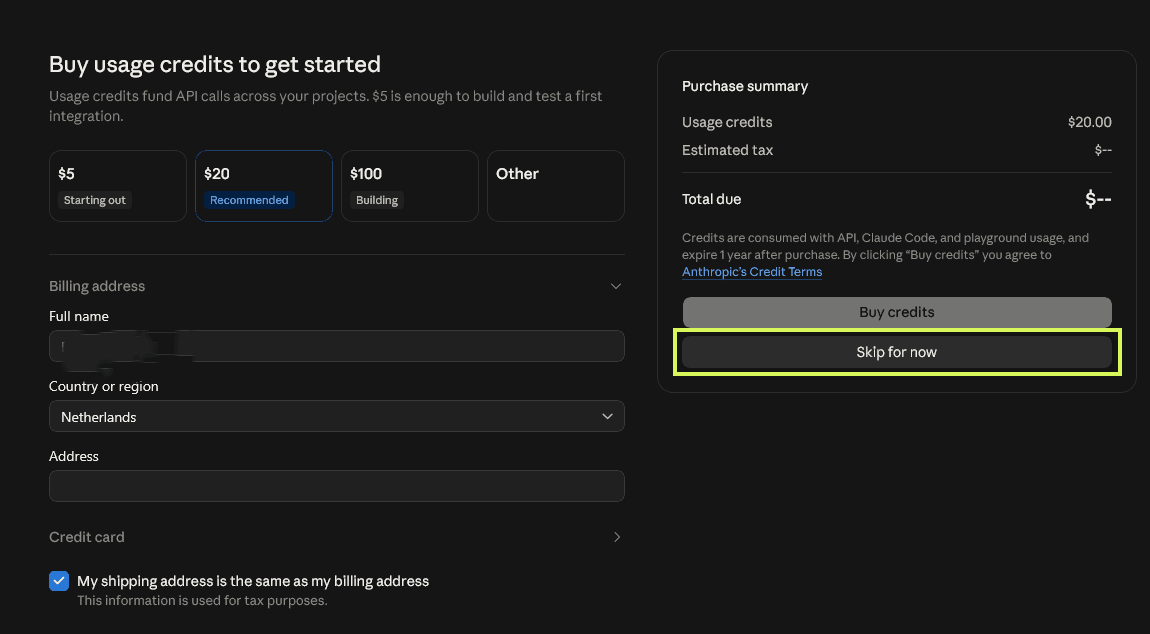
SkipAlmost everyone gets shown this "Buy usage credits" screen. Do NOT buy anything and do NOT enter a card — hit "Skip for now" (highlighted below) and carry on. Your free credits come in step 02.
Apply for the credits
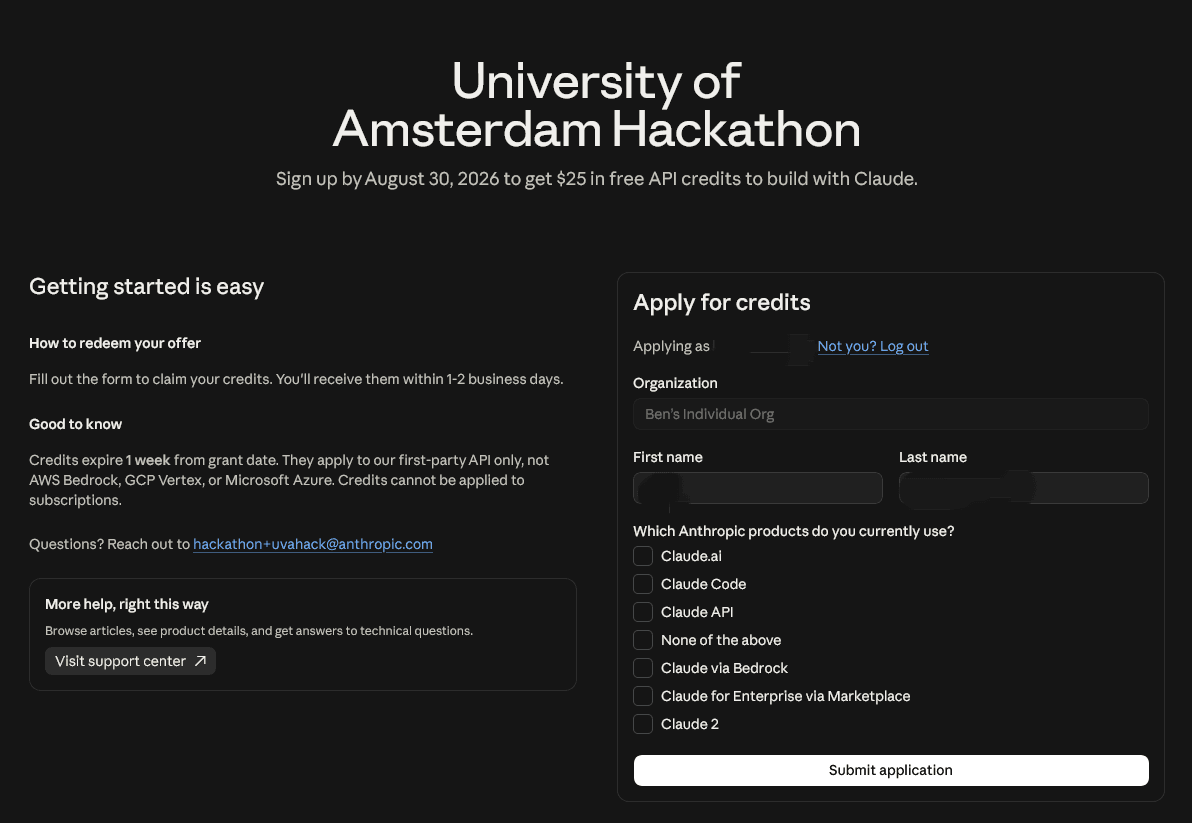
The University of Amsterdam Hackathon offer page opens with your account pre-filled. Tick the Claude products you use and hit "Submit application". This adds $25 on top of the $5 you already got at sign-up — sign up closes Sunday 30 August.
Application submitted
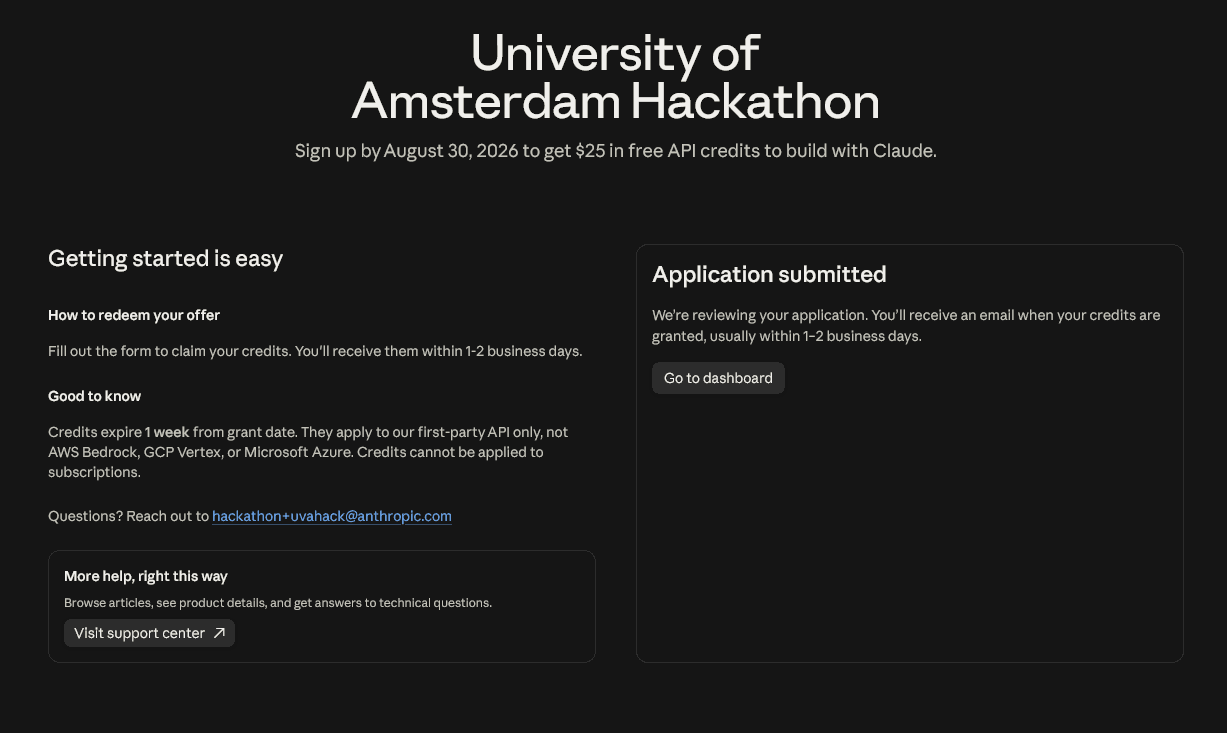
You will see the confirmation and receive an email when the credits are granted. The page says 1–2 business days, but in our test the $25 arrived within about 30 minutes — and you can already build on your $5 sign-up credit while you wait. If nothing has landed after an hour, tell a host.
Check the dashboard and build
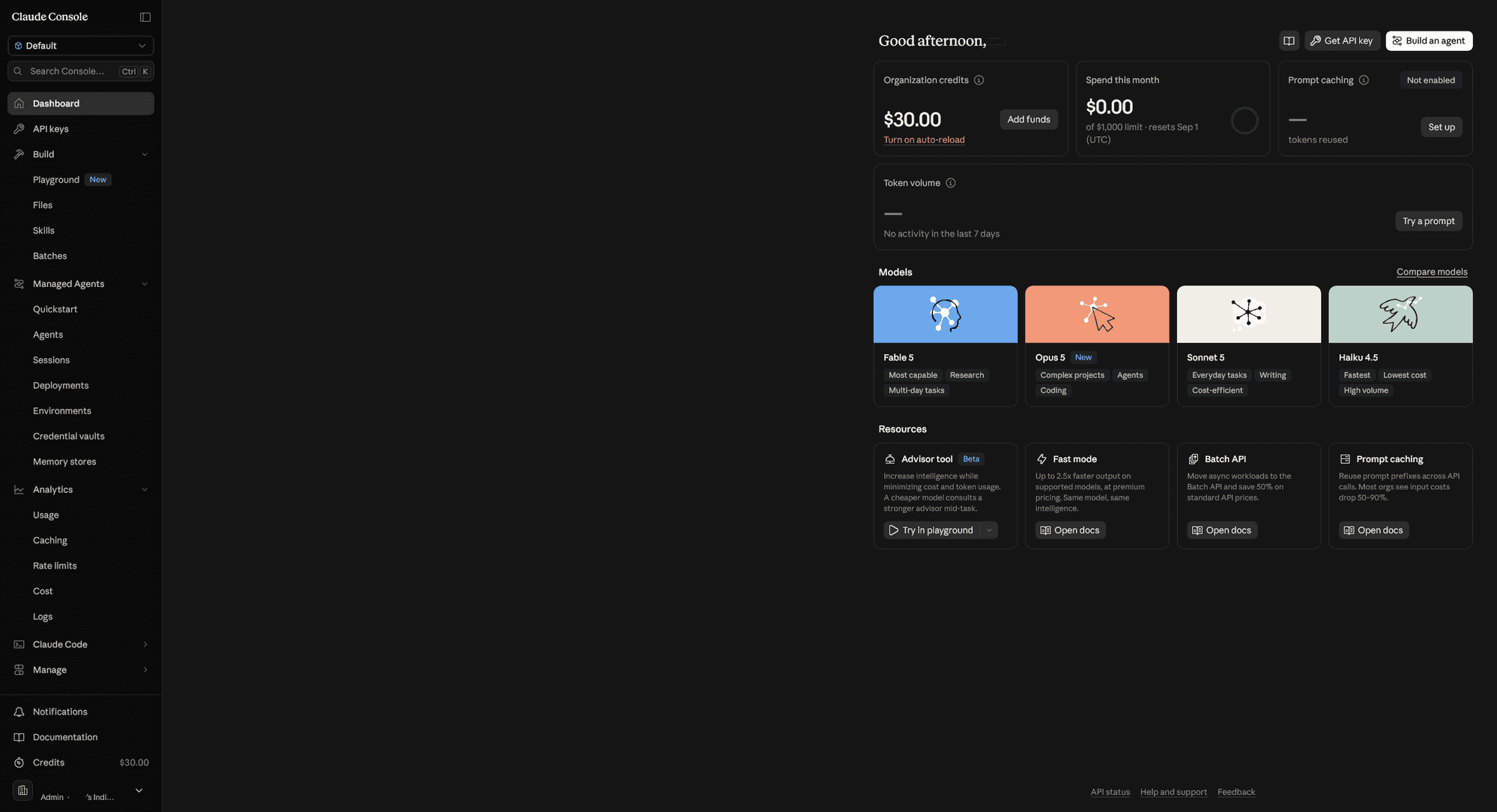
Once granted, your Console dashboard shows $30.00 under "Organization credits" — the $5 sign-up credit plus the $25 offer. Hit "Get API key" top-right and you are ready to build.
Good to know
- Credits expire one week after they are granted — use them for the hackathon, not for later.
- The Claude credits work on the Claude API only — not AWS Bedrock, GCP Vertex or Microsoft Azure, and not on Claude subscriptions.
- Sign-up closes Sunday 30 August — claim at the start of the day, not the end.
- Questions about the credits? Ask one of the hosts — they will sort it out or escalate for you.
If your team wins
The winning teams receive extra credits, applied directly to their organization by Anthropic. We will need your Anthropic API organization ID at the winners’ announcement — find it in the Console under Settings → Organization, and have it ready if you make the showcase.
Bonus · ElevenLabs
10,000 free ElevenLabs credits
Want voice or audio in your build? A fresh ElevenLabs account comes with 10,000 free credits on the free plan — no card needed. The only rule: use an email address that has not been on ElevenLabs before.
Sign up, then skip the plan screen
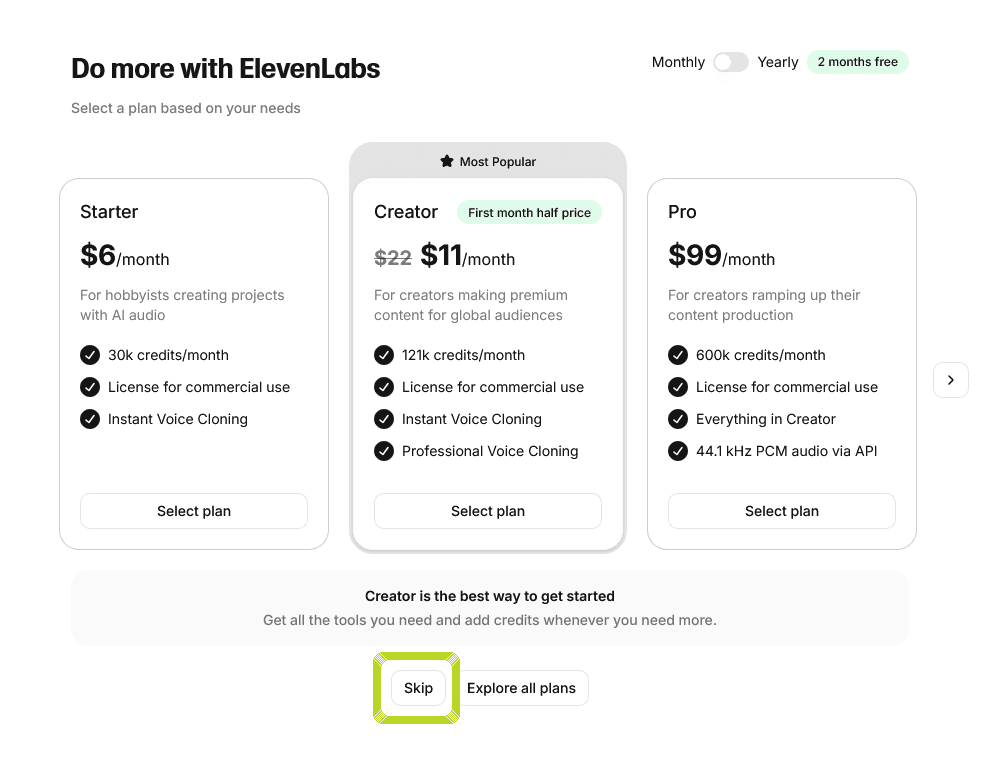
Create a free account at elevenlabs.io with an email address that has not been used on ElevenLabs before. After signing up you may be shown the paid plans — you do not need one.
SkipDo NOT select a plan and do NOT enter a card — hit "Skip" at the bottom (highlighted below). The 10,000 free credits come with the free account itself.
Skip the voice-clone setup too
If the Instant Voice Clone wizard opens next, you can skip that as well — close it with the × in the top-right corner (highlighted below). You can always come back to it later.

Check your balance and build
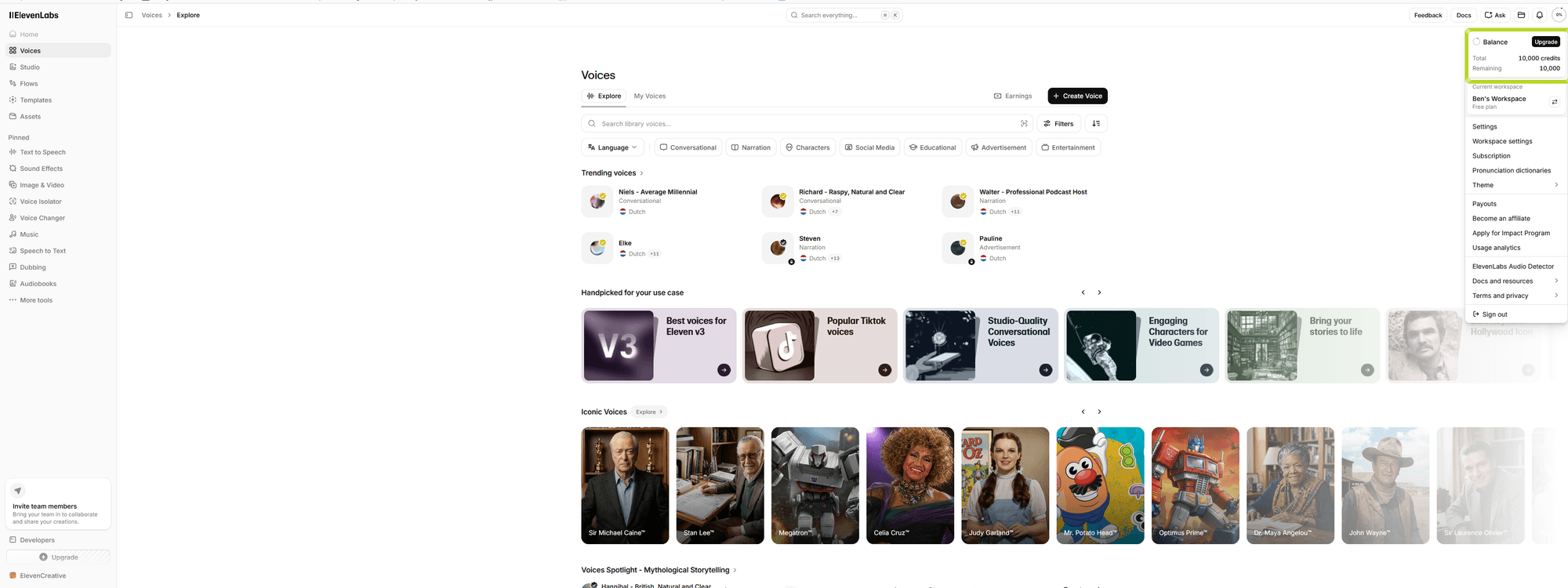
Open the balance menu in the top-right of the dashboard: 10,000 credits, ready to use for text-to-speech, voices and sound effects in your build.
Back to the Personify guest page for the schedule, WiFi and who to find.